
Best Where to Look Up Cookie Duration for Affiliate Programs Tools Beyond Shareasale
Discover the best tools, open directories, and browser methods to check affiliate cookie durations before applying, ensuring you never lose attribution.
- The ShareASale Problem: Why Gated Data Slows You Down
- 1. Open-Access Affiliate Directories (The AffiliList Approach)
- 2. Affiliate Network Knowledge Bases and Documentation
- 3. Cookie Duration Impact Calculators
- 4. Merchant "Partner" and "Affiliate" Landing Pages
- 5. Affiliate Platform Blogs and Strategy Guides
- The Technical Approach: Testing the Link Yourself
- How Cookie Durations Vary by Niche
- The Threat to the Tracking Window: ITP and First-Party Cookies
- First-Click vs. Last-Click: The Overwrite Dilemma
- When Shorter Cookies Are Actually Better (The Contrarian View)
- Actionable Workflow: Vet a Program in 5 Minutes
- FAQs About Affiliate Cookie Tracking
You spend weeks crafting content, optimizing for search, and building trust with your audience. A reader finally clicks your affiliate link, deliberates for a week, and makes a $2,000 purchase. When you log into your dashboard the next morning, your commission balance reads zero.
You dig into the program's terms and discover a 24-hour cookie window. Because the buyer took their time, you earned nothing.
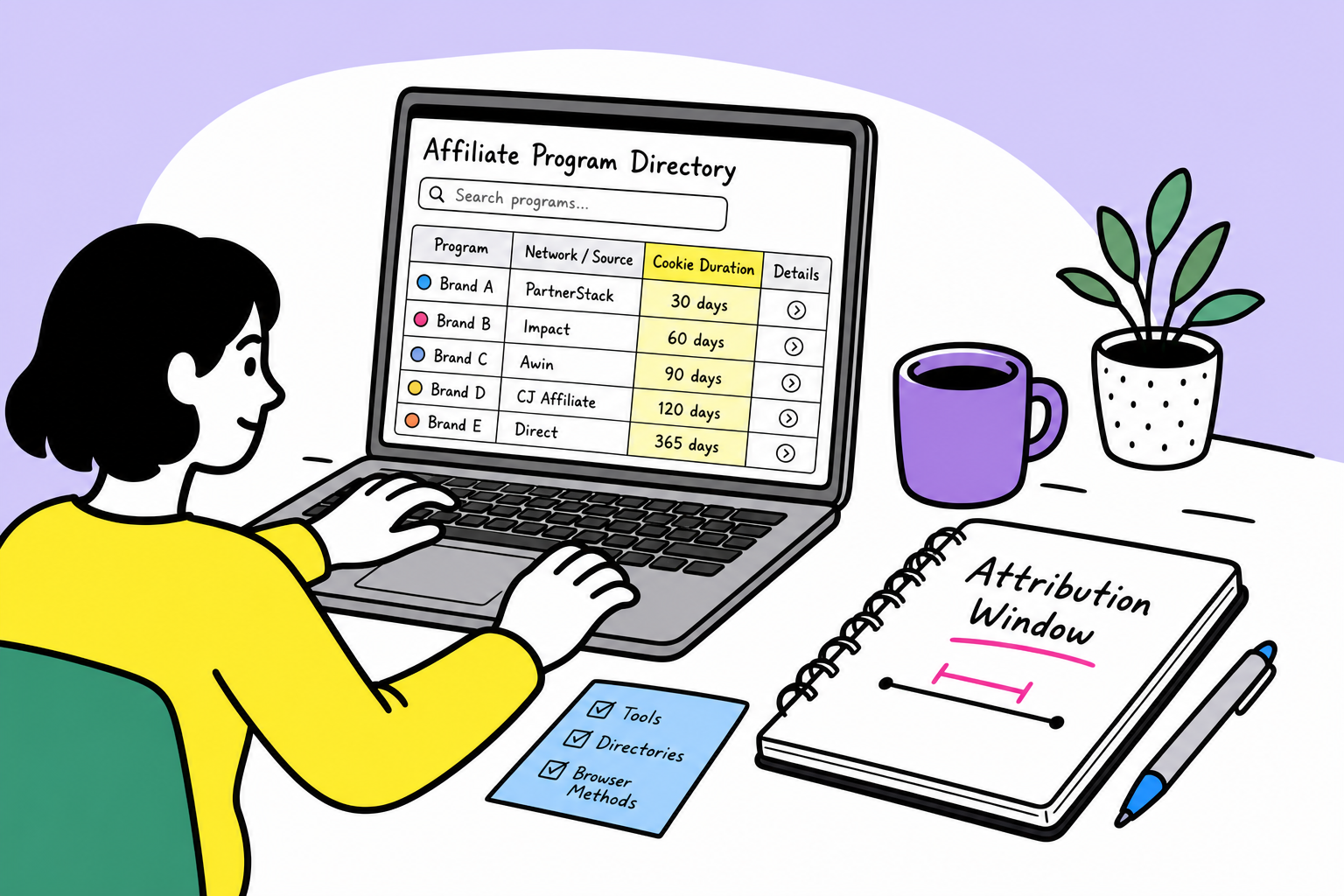
Knowing a program’s cookie duration—the window of time you receive credit for a sale after a click—is just as critical as knowing the commission rate. Yet, finding this data often feels like pulling teeth. Many legacy networks hide these terms behind tedious signup forms, forcing you to apply to a program before you can even see if the tracking window is worth your time.
If you want to maximize your revenue, you need transparent, accessible places to verify tracking windows before you commit your traffic. Here is exactly where to look up cookie duration for affiliate programs, the tools that provide the most accurate data, and how to use that information to optimize your campaigns.
The ShareASale Problem: Why Gated Data Slows You Down
ShareASale is frequently cited as the default answer for finding affiliate program terms. If you have an active account, you can search their merchant directory and view the tracking gap (their term for cookie duration) alongside commission rates.
But relying on traditional, closed networks creates three distinct bottlenecks for affiliate marketers:
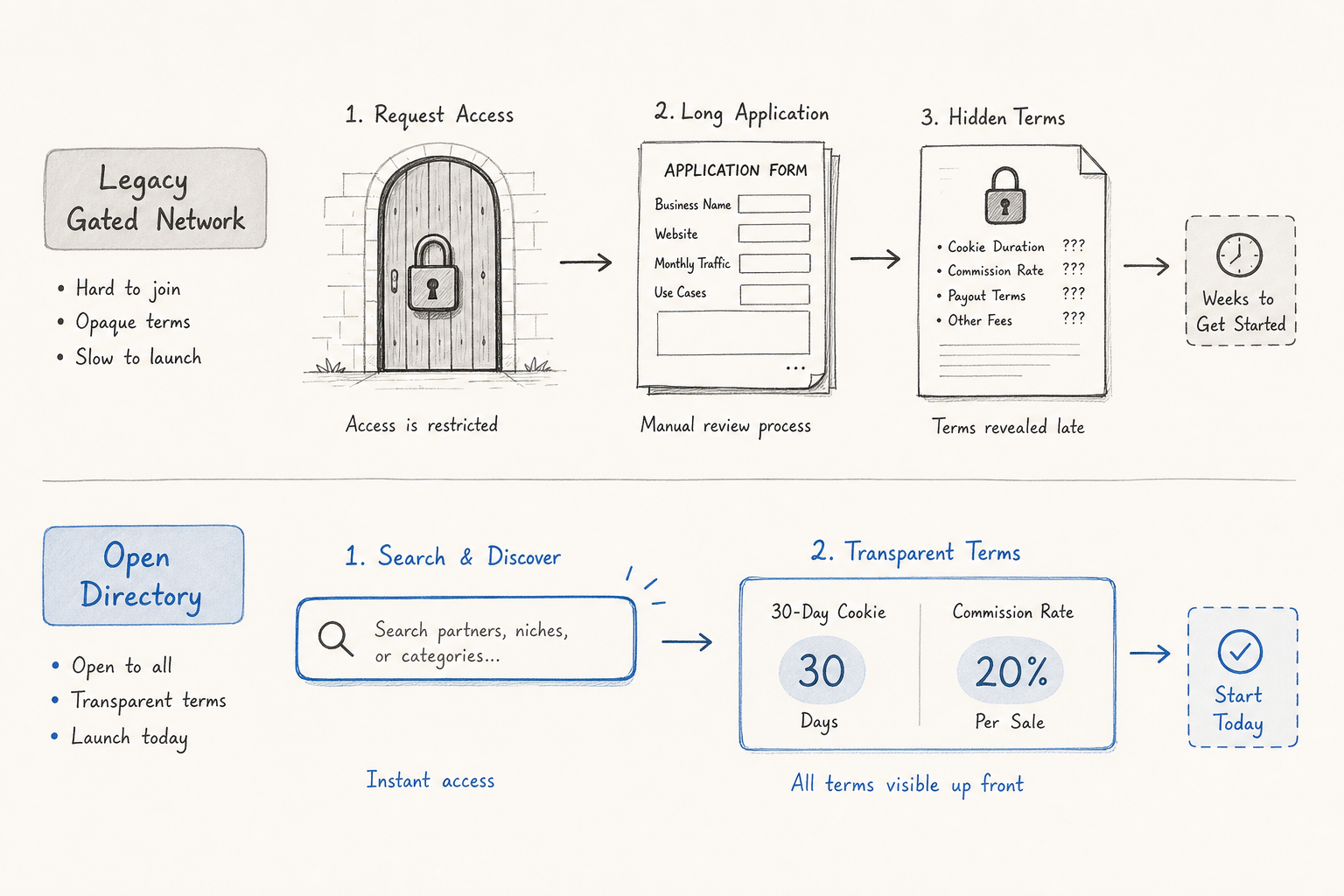
- The Application Wall: You often cannot view granular program terms across different networks without first applying for an account, waiting for approval, and logging in.
- Fragmented Searching: ShareASale only lists ShareASale merchants. If you are comparing a SaaS tool on ShareASale with a competitor on Impact or PartnerStack, you have to toggle between completely different interfaces with varying levels of transparency.
- Cluttered UI: Legacy networks are notoriously difficult to navigate. Finding the specific terms of service or the exact cookie policy often requires digging through multiple nested menus or downloading PDF agreements.
To build a streamlined workflow, you need tools and databases that treat program terms as open data, allowing you to compare opportunities side-by-side without jumping through hoops.
1. Open-Access Affiliate Directories (The AffiliList Approach)
The fastest way to look up cookie durations is through curated, open-access databases. Instead of hiding data behind user logins, modern directories index this information for public search.
AffiliList operates on this exact premise. With a database of over 10,000 affiliate programs—heavily focused on SaaS and digital tools—you can instantly view commission structures, payout terms, and cookie durations without creating an account.
If you are trying to decide between two email marketing platforms to promote, you can filter by category on AffiliList and immediately see that one offers a 30-day cookie while the other offers a 90-day cookie. Because best niches for affiliate marketing often involve B2B software with longer sales cycles, having immediate access to tracking window data allows you to prioritize programs that actually match the buyer's journey.
2. Affiliate Network Knowledge Bases and Documentation
When you need the official, foundational rules of a specific tracking platform, their help centers and developer documentation are goldmines. Networks publish their own default cookie windows and technical policies here.
Instead of searching the main marketing pages, use targeted search queries on search engines or within the platform's help center.
What to search:
- "[Network Name] cookie duration policy"
- "[Network Name] default tracking window"
- "[Network Name] attribution settings"
What to expect: You will quickly find the network's technical limits. For instance, you might discover that a network defaults to 30 days unless the merchant specifies otherwise. According to industry data, 30 days is widely considered the standard baseline for a recommended lifetime, providing a fair balance between rewarding the affiliate and protecting the advertiser's margins (PostAffiliatePro).
These documentation pages will also explain exceptions. They will detail how cross-device tracking is handled, whether they support server-to-server tracking, and how long a click is historically retained in their database before being purged.
3. Cookie Duration Impact Calculators
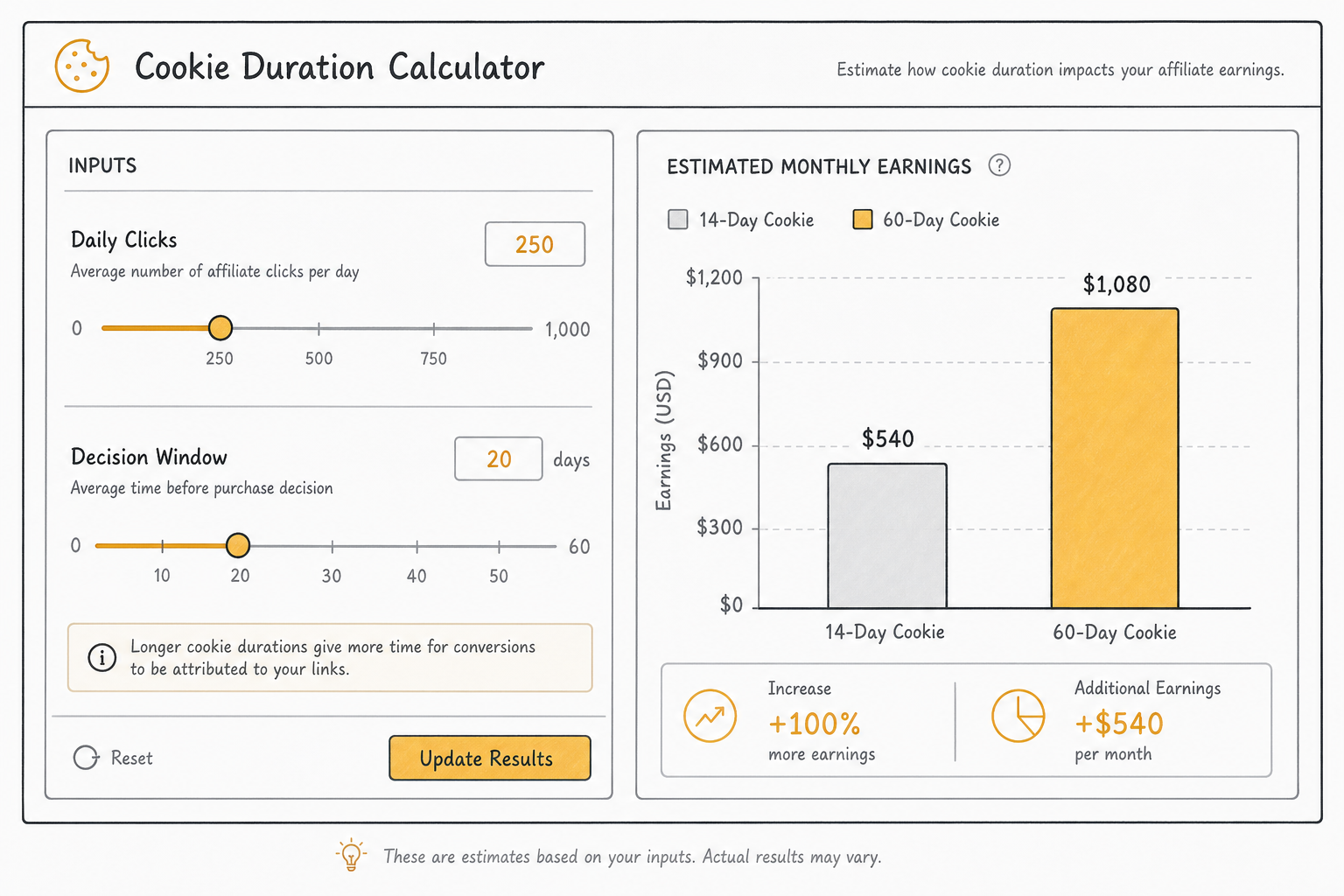
Sometimes you don't just need to know what the cookie duration is; you need to know how a specific duration will impact your bottom line. If a merchant offers to bump your commission by 5% but wants to shorten your cookie window from 60 days to 14 days, is that a good deal?
To figure this out, use a Cookie Duration Impact Calculator. These tools allow you to visualize the conversion impact across different tracking windows. By inputting your average daily clicks, your current conversion rate, and the time-to-purchase delay of your audience, you can see exactly how shortening or lengthening a cookie window changes your expected affiliate commissions.
Using a calculator moves your strategy from guesswork to data-driven forecasting. It is an invaluable step when you are negotiating custom rates directly with an affiliate manager and need to ensure you aren't trading a long-tail revenue stream for a short-term percentage bump.
4. Merchant "Partner" and "Affiliate" Landing Pages
If an open directory or calculator doesn't have the specific indie SaaS program you are looking for, the next best place is the merchant's own website.
However, do not waste time scrolling through their blog or FAQ. Scroll directly to the footer of the homepage and look for links titled "Affiliates," "Partners," or "Referral Program."
High-quality programs use these landing pages to actively recruit professional marketers, meaning they highlight their best selling points upfront. If they offer a generous 90-day or 120-day cookie, they will feature it prominently alongside their commission rate.
If the page says "Earn 30% recurring commissions!" but completely omits the cookie duration, it is often a red flag that the window is unusually short (e.g., 7 days). In these cases, check their Terms of Service link—usually located at the very bottom of the affiliate landing page—and use Ctrl+F (or Cmd+F) to search for the words "cookie," "days," or "tracking."
5. Affiliate Platform Blogs and Strategy Guides
Platform blogs are excellent resources for benchmarking expectations within your specific industry. While they might not list the exact cookie duration for a single micro-brand, they publish aggregate data on what is normal and what is exceptional.
Search for terms like:
- "Affiliate cookie duration SaaS vs e-commerce"
- "Average cookie life in finance affiliate programs"
- "How long do affiliate cookies last"
Articles on these platforms explain how the value of cookie duration varies significantly based on affiliate program terms and user purchase cycles, making a one-size-fits-all approach impossible (Affililabs.ai). By reading these guides, you can determine if a merchant's offer is competitive. If an enterprise software company offers you a 15-day cookie, platform benchmark data will quickly show you that this is severely below the 60-to-90-day industry standard for B2B tools.
The Technical Approach: Testing the Link Yourself
If a merchant completely hides their terms and you cannot find them in any directory, you can find the cookie duration yourself by inspecting the tracking link in your browser. This requires a bit of technical know-how, but it provides undeniable proof of exactly how long a cookie is set to live on a user's machine.
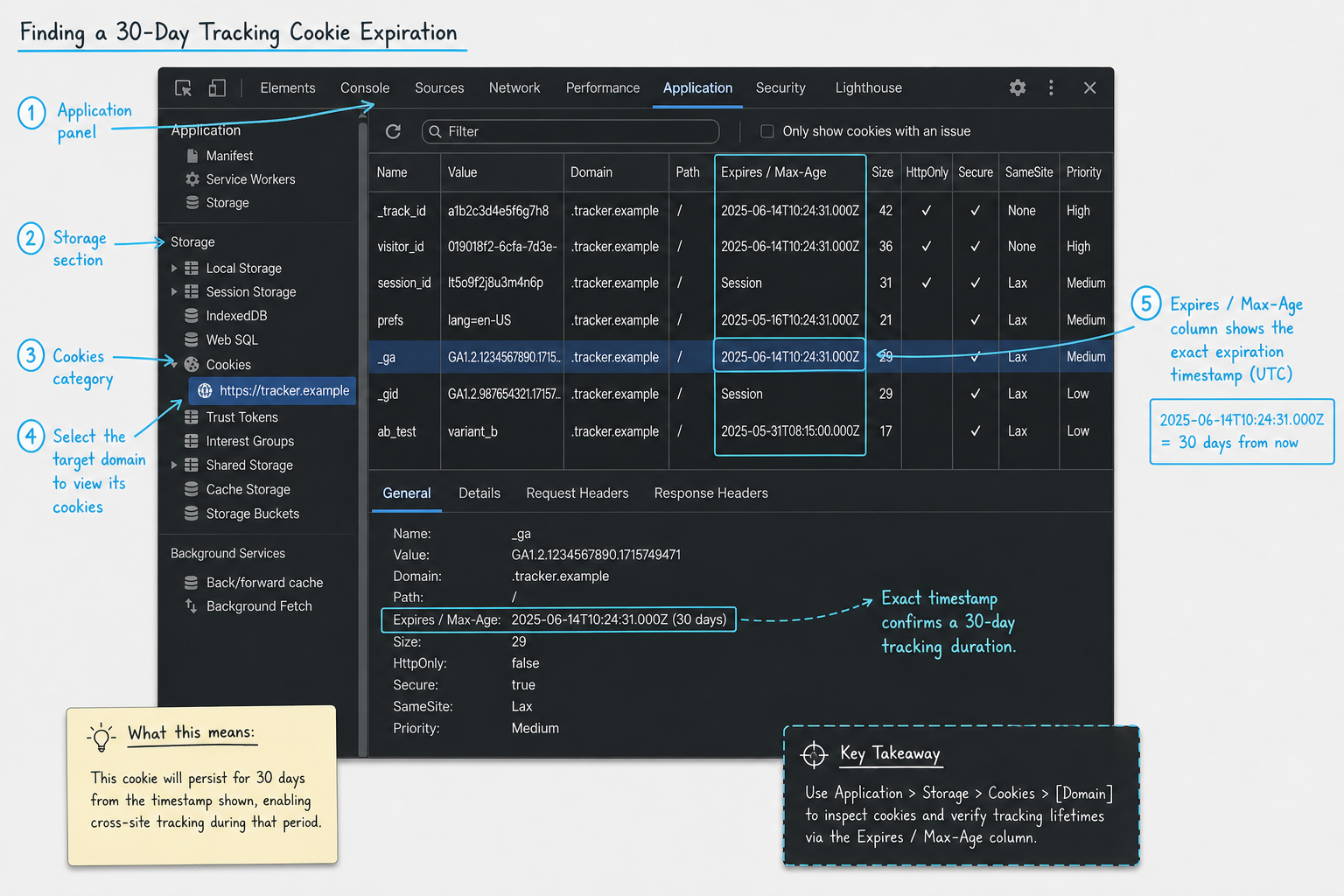
Here is how to look up the exact expiration date of an affiliate cookie:
- Open Google Chrome or Firefox in an Incognito/Private window (to ensure a clean slate without previous cookies).
- Right-click anywhere on the page and select Inspect to open Developer Tools.
- Navigate to the Application tab (in Chrome) or the Storage tab (in Firefox).
- In the left sidebar, expand the Cookies section and click on the URL of the merchant's site.
- Paste the affiliate link into your browser's address bar and hit enter.
- Watch the table in the Developer Tools populate. Look for the cookie associated with the affiliate network (e.g.,
_impact,sas_, or a custom partner ID). - Check the Expires / Max-Age column.
If the date in the "Expires" column is exactly 30 days from today's date, you have your answer. You bypassed the gated network, skipped the application process, and found the real tracking window directly from the source code.
How Cookie Durations Vary by Niche
Understanding where to look up cookie durations is only half the battle; the other half is knowing whether the number you find is actually good. The role of cookie duration is a must-know concept, and setting the right timeframe is a balancing act between advertiser risk and affiliate reward (UpPromote).
Here is a breakdown of what you should expect when researching programs across different verticals.
| Industry/Niche | Average Cookie Duration | Why This Window Makes Sense |
|---|---|---|
| Retail & Amazon | 24 hours to 7 days | Low barrier to entry, highly impulsive purchases. Consumers rarely need weeks to decide on a phone case or a book. |
| Physical E-commerce (DTC) | 14 to 30 days | Slightly higher price points (e.g., mattresses, apparel) require users to read reviews and compare brands before buying. |
| Travel & Booking | 30 to 45 days | Users often research flights and hotels on a mobile device and complete the booking weeks later on a desktop. |
| Finance & Crypto | 30 to 60 days | Opening a brokerage account or transferring funds requires high trust and time to gather personal documentation. |
| SaaS & Digital Tools | 60 to 90+ days | B2B software requires trial periods, team approvals, and budget allocation. A long sales cycle demands a long cookie. |
If you are researching profitable affiliate marketing niches, pay close attention to the gap between the typical buyer's journey and the standard cookie duration. Niches that require high deliberation but offer notoriously short cookies will severely depress your actual conversion rate.
The Threat to the Tracking Window: ITP and First-Party Cookies
When you look up a cookie duration and see "90 Days," you need to understand that this is the maximum allowable time, not a guarantee.
In recent years, privacy initiatives like Apple’s Intelligent Tracking Prevention (ITP) on Safari and Mozilla's Enhanced Tracking Protection have fundamentally changed how cookies behave.
Historically, affiliate networks used third-party cookies. You would click a link on your blog, the user would go to a merchant site, and a network like ShareASale would drop a cookie from its own domain. Today, Safari aggressively blocks third-party cookies by default. Furthermore, even if a merchant uses first-party tracking (dropping the cookie from their own domain via a tracking script), Safari's ITP caps the lifespan of client-side first-party cookies at just 7 days.
What this means for your research: When you look up a program's terms and it boasts a 120-day cookie duration, that window is effectively reduced to 7 days for users browsing on Safari, iPhone, or Mac devices unless the merchant uses robust server-to-server tracking.
When vetting programs, particularly for high paying affiliate programs where a single lost conversion costs you hundreds of dollars, look beyond the stated duration. Check the network's documentation for mentions of "Server-to-Server (S2S) tracking" or "Postback URLs." S2S tracking bypasses browser-level cookie wiping by recording the click on the merchant's internal server, ensuring that a 90-day window actually lasts 90 days, regardless of the browser being used.
First-Click vs. Last-Click: The Overwrite Dilemma
Finding a generous 90-day cookie is fantastic, but you also need to look up the program's attribution model. The cookie duration only matters if your cookie is the one that actually gets credited at checkout.
Most affiliate programs operate on a Last-Click attribution model. This means that if a user clicks your link on Monday, but clicks a competitor's YouTube link on Thursday and buys, the competitor gets 100% of the commission. Your 90-day cookie was overwritten after just three days.
Occasionally, you will find programs offering First-Click attribution. In this model, whoever introduces the customer to the brand locks in the commission for the entire duration of the cookie. If you get the click on Monday, you are guaranteed the commission for the next 90 days, regardless of how many other affiliate links the buyer clicks before checking out.
First-click programs are incredibly rare, but they are highly lucrative for content creators who specialize in top-of-funnel educational content, such as answering "what is the best software for X." When you are looking up cookie terms, always check the attribution rules. A 30-day first-click cookie is almost always more valuable than a 90-day last-click cookie.
When Shorter Cookies Are Actually Better (The Contrarian View)
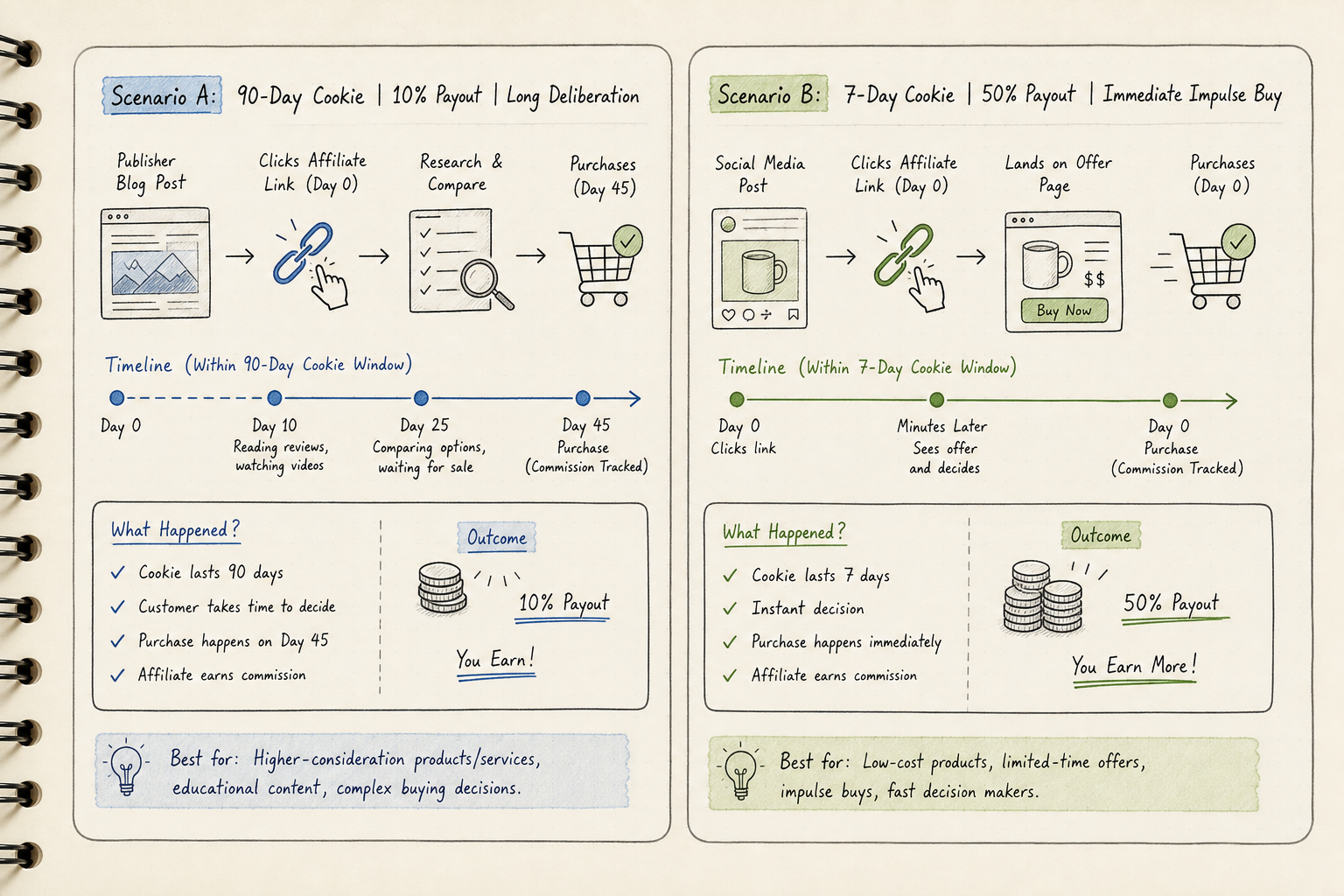
It is common advice to avoid any program with less than a 30-day tracking window. However, prioritizing cookie duration over raw conversion mechanics is a rookie mistake. A shorter cookie duration is entirely acceptable—and sometimes preferable—if it is attached to a hyper-optimized offer.
Consider an affiliate running a highly targeted affiliate marketing side hustle focused on impulse buys, like digital templates or low-cost printables.
Scenario A: A 90-day cookie with a 10% commission on a $500 product that requires three sales calls to close. Scenario B: A 7-day cookie with a 50% commission on a $47 digital product that users buy within 10 minutes of landing on the page.
If your traffic consists of high-intent, immediate buyers (for example, targeting keywords like "buy X tool discount code"), a 7-day window will capture 99% of your conversions anyway. Advertisers understand that finding the "sweet spot" means balancing the timeframe to maximize conversions while remaining attractive to top affiliates (Trackdesk). If a merchant strictly limits their cookie to 14 days but uses the saved attribution budget to fund a 40% recurring commission, you should take that deal every time.
Never let a short cookie duration scare you away from an offer that converts at 8% on cold traffic.
Actionable Workflow: Vet a Program in 5 Minutes
To stop wasting time and start monetizing effectively, integrate this rapid research workflow the next time you find a tool you want to promote:
- Check AffiliList First: Search the open directory to see if the merchant’s commission rate and cookie duration are already indexed. This takes ten seconds and requires no login.
- Scan the Footer: If it's a new or obscure program, go to the merchant's homepage, scroll to the footer, and open their "Affiliates" page. Look for bold text bragging about a 30+ day window.
- Search Network Documentation: If they use a network like Impact or CJ, Google "[Network] default cookie policy" to see what the baseline is when merchants don't specify.
- Use Developer Tools: If you have an active link but can't find the terms, open an Incognito window, inspect the browser storage, and look at the cookie expiration date.
- Run the Math: If you are weighing two competing offers, plug their respective durations and payouts into a cookie duration impact calculator to forecast your actual earnings.
FAQs About Affiliate Cookie Tracking
Where is the best place to find cookie duration without signing up?
Open-access databases like AffiliList are designed specifically for this purpose, aggregating terms from thousands of programs so you can filter and compare without creating accounts on a dozen different legacy networks.
What is the standard cookie duration for affiliate programs?
While it varies by industry, 30 days is widely considered the baseline standard for affiliate marketing. Digital products and SaaS often extend this to 60 or 90 days, while retail heavyweights like Amazon operate on a 24-hour window.
Does clearing browser cache delete affiliate cookies?
Yes. If a user manually clears their browser cookies and site data before making a purchase, your tracking link is severed. Furthermore, if they click your link on their phone but complete the purchase on their work laptop (without being logged into an ecosystem like Google or Apple that syncs cross-device tracking), the cookie will not follow them.
Why would a merchant hide their cookie duration?
Merchants rarely hide this maliciously. Usually, it is a byproduct of relying on older affiliate networks that gate all program details behind an application wall. However, if a direct-managed program heavily obscures their tracking terms on their own landing page, it is often because they are using an exceptionally short window (e.g., 24 to 48 hours) and don't want to deter prospective affiliates.
Can I negotiate my cookie duration?
Yes, but usually only if you bring significant volume. If you have a proven track record or a highly engaged email list, you can reach out to the affiliate manager directly. It is often easier for an affiliate manager to manually extend your tracking window to 90 days in their backend software than it is for them to secure budget approval for a higher commission percentage.
Finding where to look up cookie duration for affiliate programs doesn't have to be an exercise in frustration. By moving away from closed networks and utilizing transparent directories, technical browser checks, and industry benchmarks, you can quickly evaluate the true earning potential of any offer. Protect your traffic, verify the tracking window, and only promote programs that give you the attribution you deserve.